Instructions for using member IC card
1. System settings
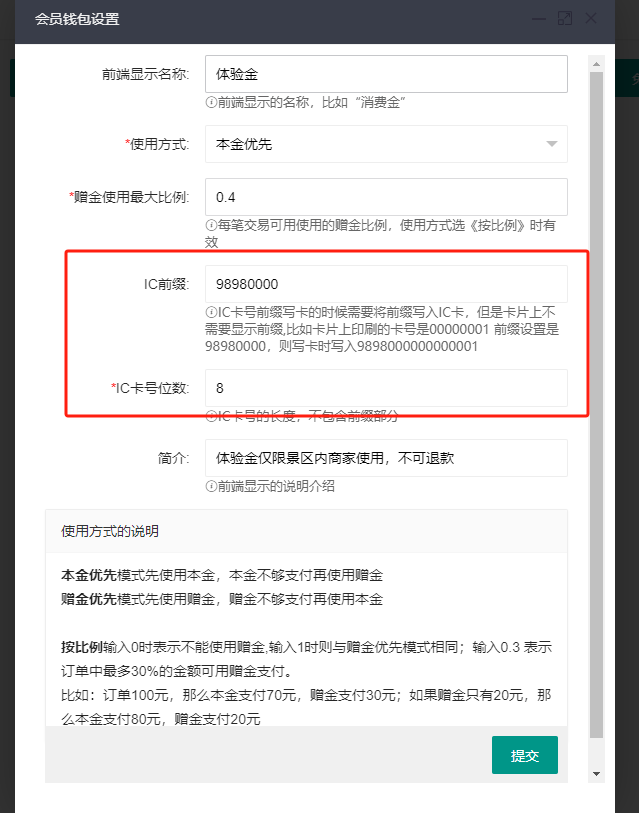
Add IC card related configuration in the system's [Parameter Settings/Member Wallet Settings]
When writing the card, you need to write both the card prefix and the card number into the IC card
2. Issuing member IC cards
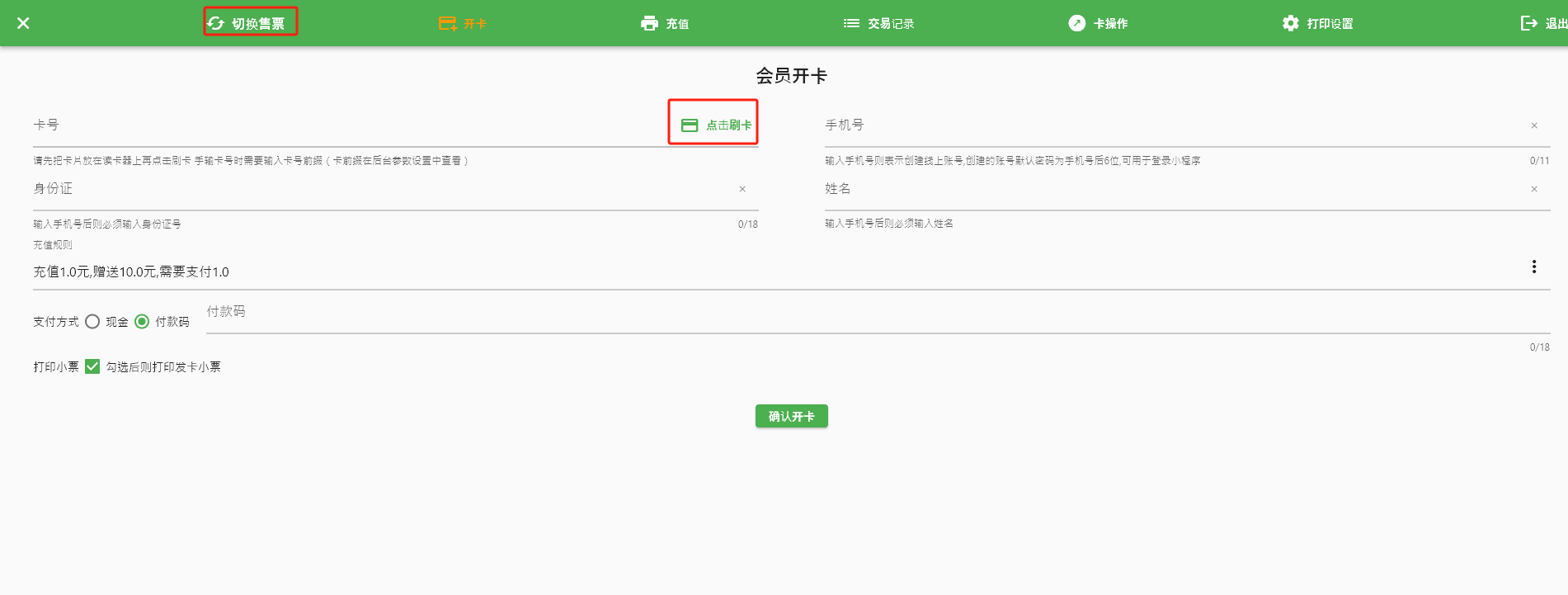
You can issue cards by logging in on the ticket machine. You need to install the Eastriver plugin V5.0.8 and connect the card reader.
Use membership card to pay when buying tickets
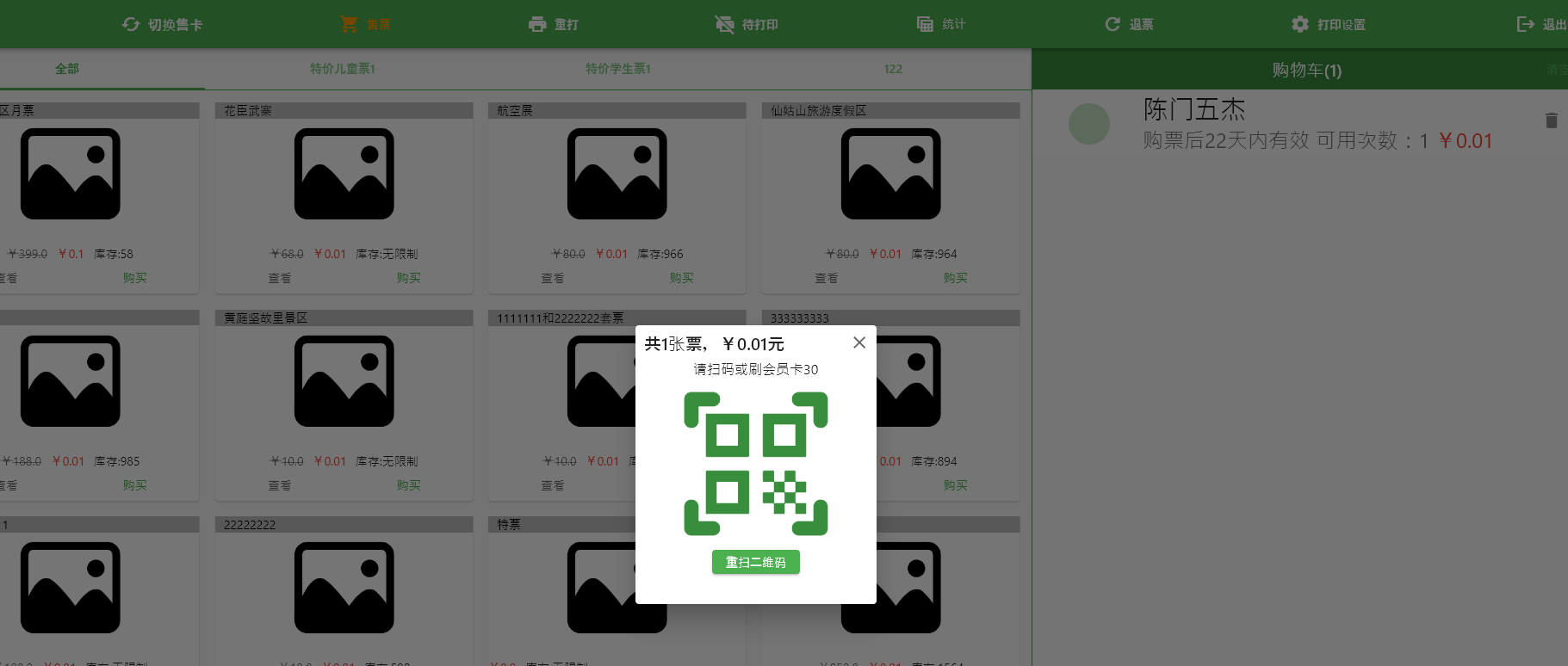
Swipe the card directly on the pop-up scan code page