Window POS Terminal User Guide
Overview
The Window POS Terminal is a desktop application designed for fixed ticketing points such as scenic area ticket offices and service center front desks. It supports running on both Windows and Android systems. Its core functionality is fundamentally the same as the handheld POS device, but its user interface (UI) and operational flow have been optimized for larger screens and more complex business scenarios.
Key Features and Interface
Compared to the handheld device, the main feature of the Window POS Terminal is its integration of richer functional modules and a tabbed interface that allows for quick switching between different business modes.
Dual Mode: Ticket Sales / Card Sales
The new version supports two core modes: "Ticket Sales" and "Card Sales". Operators can seamlessly switch between them on the same interface, greatly improving efficiency when handling mixed transactions (e.g., a visitor purchasing a ticket while also applying for a membership card).
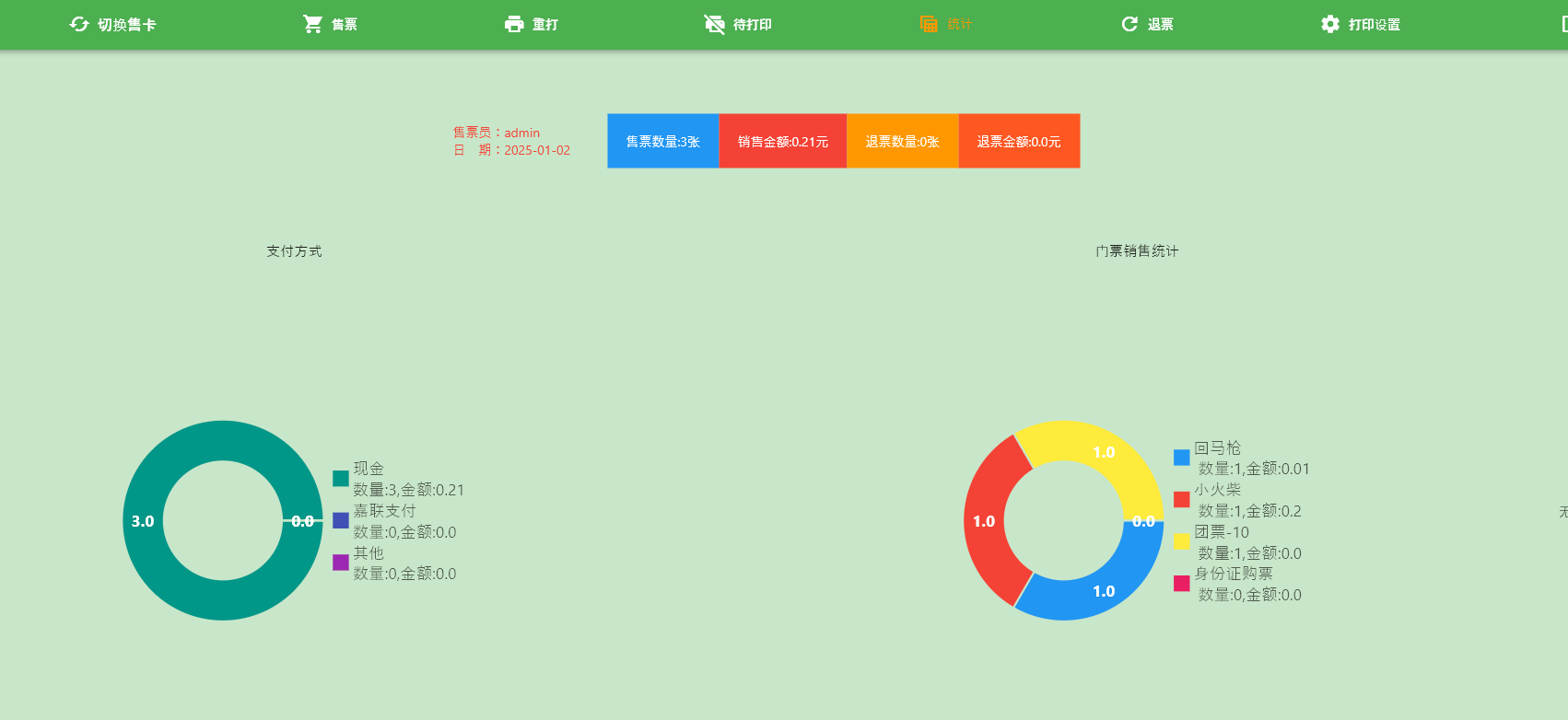
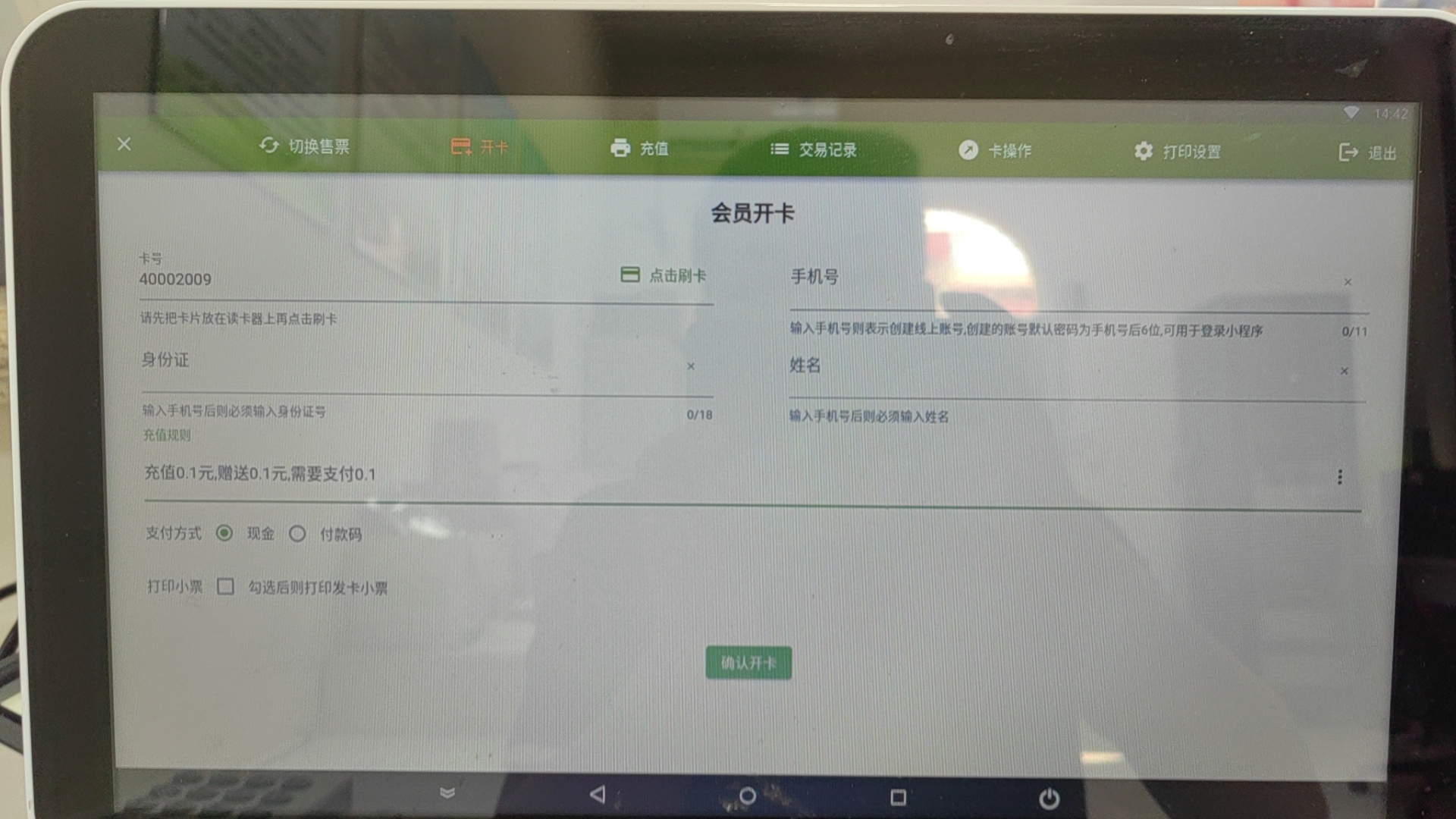
Integrated Membership Management
Through the "Card Sales" mode, seamless integration between membership management and the ticketing system is achieved, supporting on-site card issuance, top-ups, and member information queries for visitors.
Ticketing Interface
In "Ticket Sales" mode, the interface displays all available tickets. Operators can quickly select tickets for visitors, add them to the cart, and complete the checkout process. The workflow is optimized for desktop use, making it more intuitive and efficient.
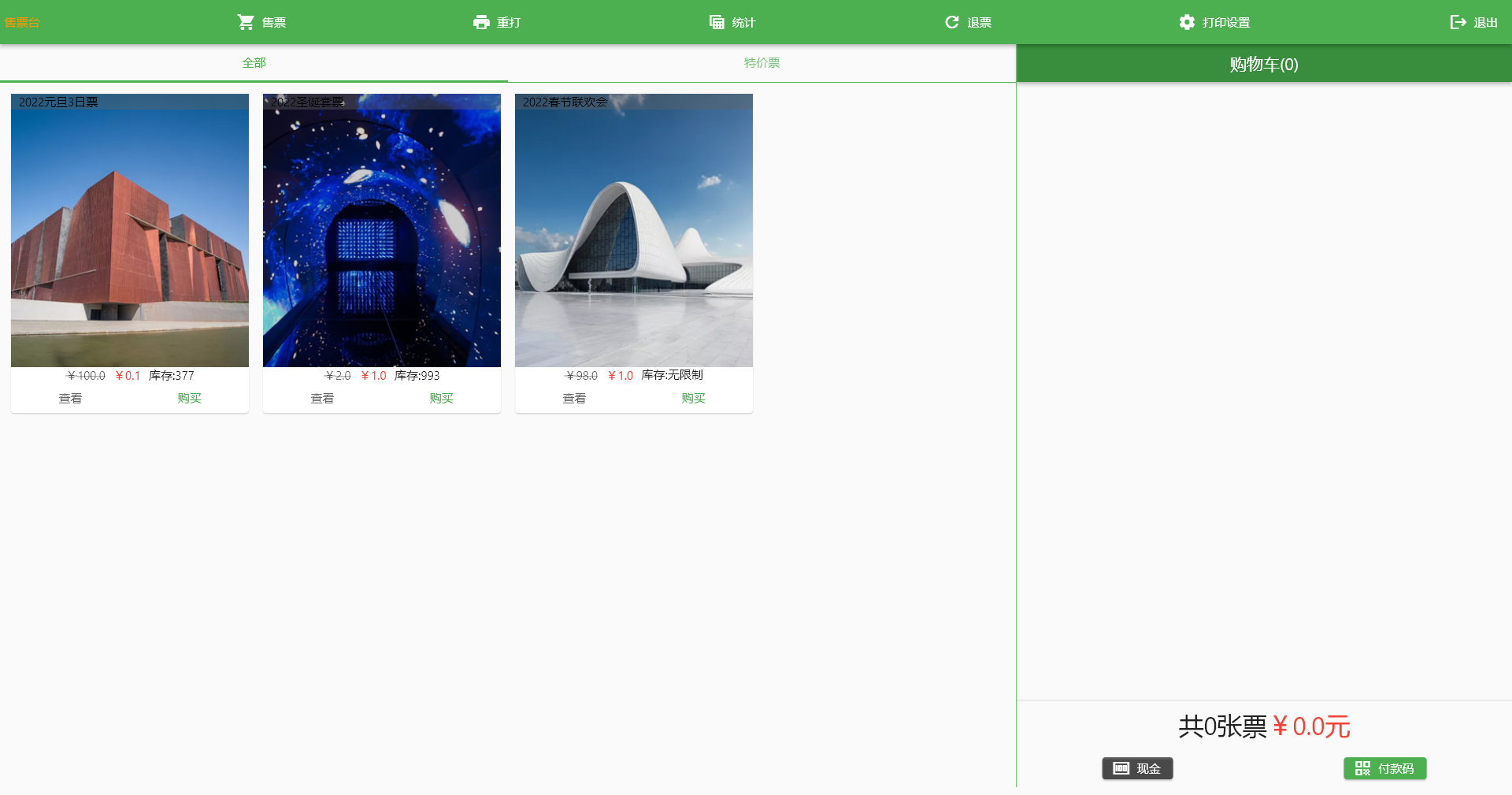
Core Operations Guide
The core business logic of the Window POS Terminal for ticketing, ticket exchange, refunds, receipt reprinting, and sales statistics is identical to that of the handheld POS device.
For detailed step-by-step instructions on these functions, please refer to the following document:
Printer Settings
As a window terminal, it typically needs to be connected to one or more receipt printers. For information on printer installation, driver configuration, and specification settings, please refer to the dedicated document below: