Tianshitongcheng docking
Set ticketing permissions
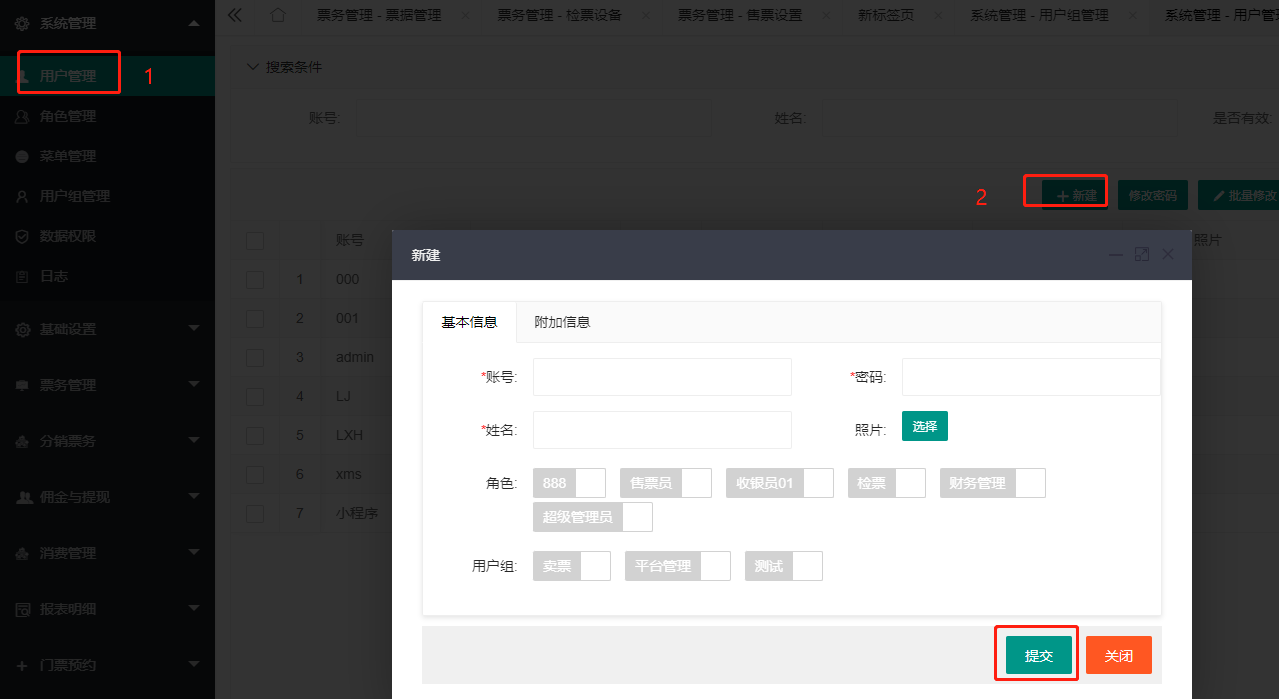
1. Create a ticketing user
Create a Tianshitongcheng user in the System Management/User Management menu
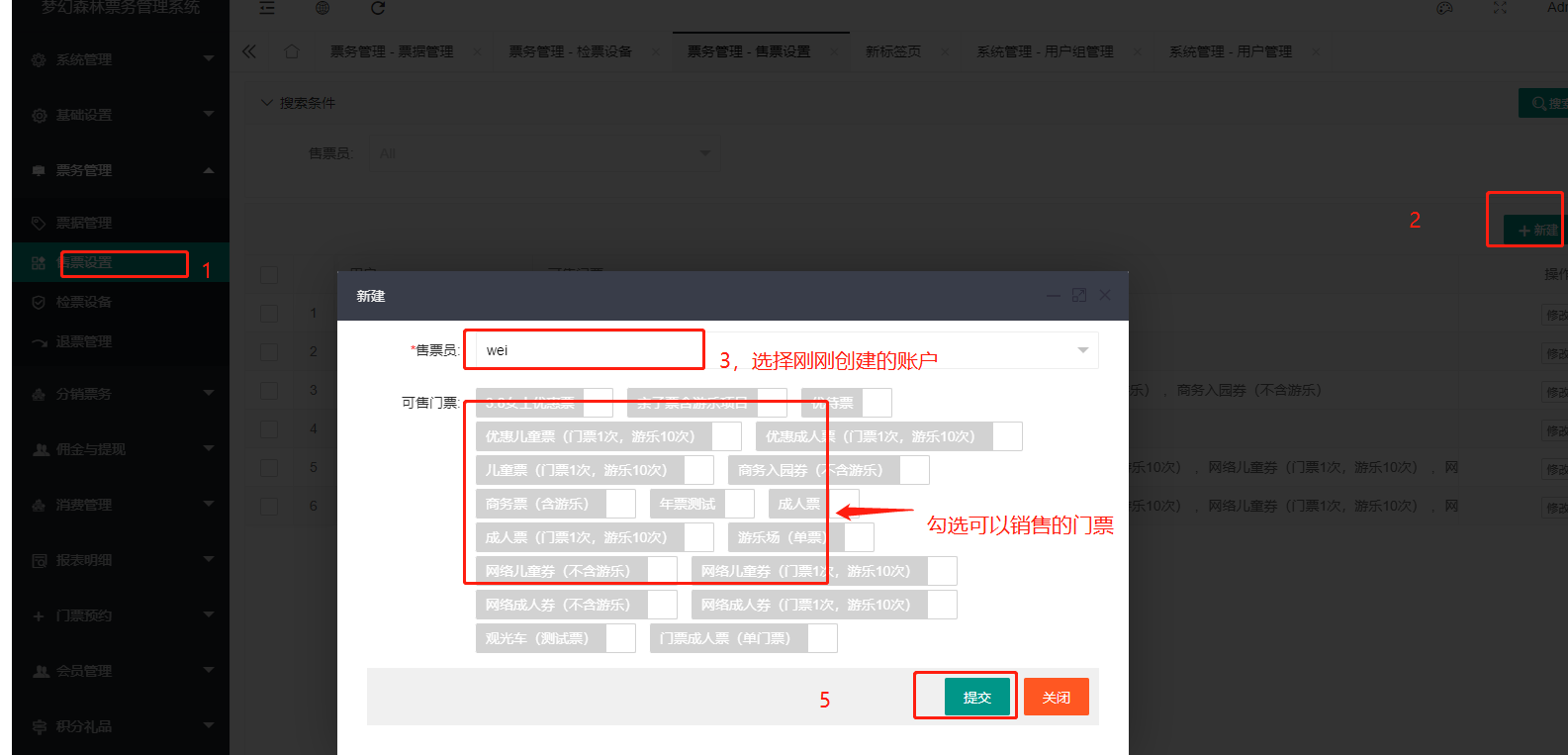
2. Set ticketing permissions
Add the tickets that can be sold by Tianshitongcheng users in the Ticketing Management/Ticketing Settings menu
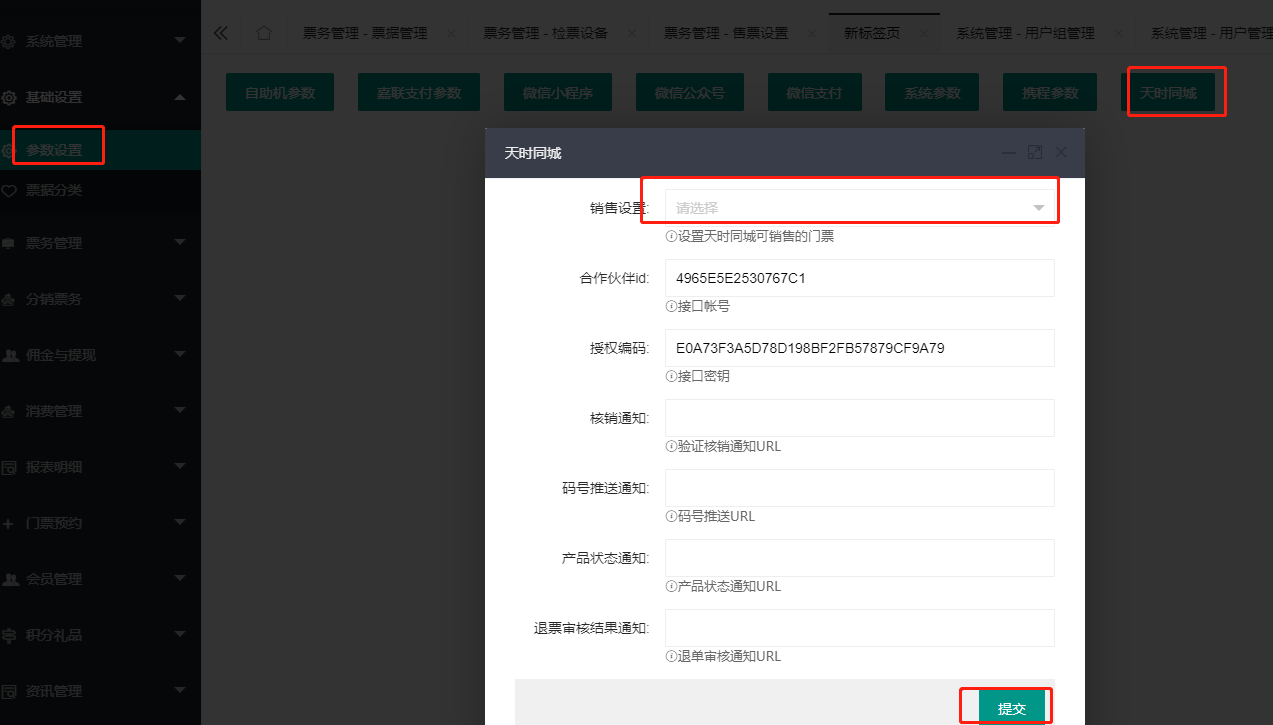
Set Tianshitongcheng's relevant parameters
For specific parameters, please contact Tianshitongcheng to obtain them.
Set the relevant parameters of Tianshitongcheng in the Basic Settings/Parameter Settings/Tianshitongcheng menu, select the newly created account in the sales settings, and submit after filling in
Provide the ticket ID to Tianshitongcheng
Open the Ticketing Management/Ticket Management menu, get the ID of the tickets that can be sold by Tianshitongcheng, and send the ID to the Tianshitongcheng staff.
Note: The collection and refund of Tianshitongcheng's orders are completed on the Tianshitongcheng side, and the ticketing system does not need to collect money.